Adding a new powerpoint sounds simple. In reality, the safest result comes from good planning and the right electrical checks behind the wall.
This powerpoint installation guide explains what to install, where to put it, and what we check before any work starts. It is written for Perth homes, including older properties and double brick walls.
First up: can you install a powerpoint yourself in WA?
No. In WA, installing, moving, or replacing powerpoints is electrical work and must be done by licensed people. The WA Government advises homeowners to use a licensed electrical contractor, and explains that electrical work must be carried out by someone who holds the relevant electrical licence.
If you are unsure whether something counts as “electrical work”, treat it as licensed work and call a sparky.
When you should add or upgrade powerpoints
Most Perth homeowners add outlets for practical reasons, but it often improves safety too.
Common reasons include:
- Too many power boards or double adaptors in one area
- A new appliance (air con, dishwasher, induction cooktop, workshop tool)
- A home office setup that has grown over time
- Renovations, new furniture layout, or a new TV wall
- Outdoor entertaining areas, sheds, or pool equipment
- Old outlets that feel loose, spark, buzz, or run warm
If you are relying on power boards every day, the room probably needs more fixed outlets.
The quickest way to plan: choose the right powerpoint type
Here are the options we install most often, and where they make sense.
Standard double powerpoint (most common)
Best for general use in bedrooms, living rooms, hallways, and most walls.
Quad powerpoint (4 sockets on one plate)
Great for:
- TV walls
- Home offices
- Gaming setups
- Kitchen appliance stations (in the right spot)
USB powerpoint (USB-A and/or USB-C)
Useful where phones and tablets get charged daily:
- Bedside tables
- Kitchen bench ends (away from splash zones)
- Study nooks
Tip: USB outlets are about convenience, not “more power”. High-load devices still need a normal socket.
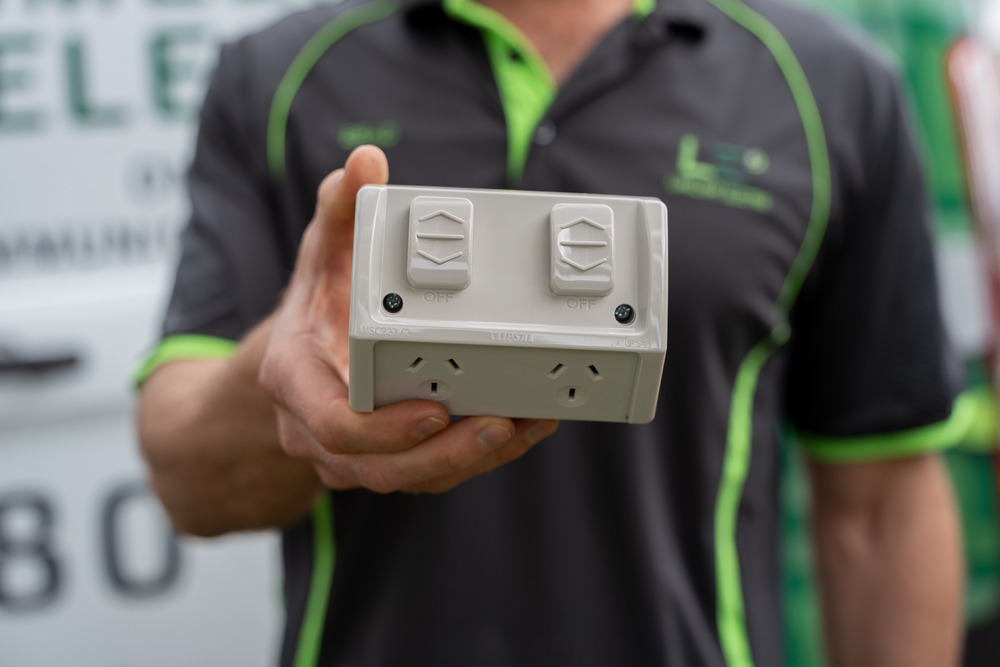
Weatherproof outdoor powerpoint
For alfresco areas, patios, and sheds. These are designed to handle rain and dust when installed correctly.
Avoid indoor outlets outdoors. Moisture and corrosion can lead to faults and nuisance tripping.
Smart powerpoint
Handy for lamps and low-load devices you want to schedule.
It is not a fix for poor wiring or overloaded circuits, and it must be suitable for the location it is installed in.
15A outlet (special-purpose)
Some tools and equipment need a 15A outlet. These are not interchangeable with standard outlets.
If you are not sure what you need, we check the plug type and the device requirements before recommending anything.
Where to install powerpoints, room by room
Good placement reduces power board clutter and stops cords running across walkways.
Living room
- One set behind the TV location (often more than you think)
- One near each end of the couch for chargers
- Consider a dedicated point for soundbars or subwoofers
Bedrooms
- One outlet on each side of the bed
- One near a dresser or desk
- If you use heaters or medical devices, plan a dedicated spot
Home office
A simple rule that works well:
- At least 4 sockets where the desk will sit
- Keep one spot free for temporary charging
Kitchen
Kitchens can overload quickly because appliances draw more power.
- Place outlets where appliances actually live (kettle, toaster, coffee machine)
- Keep clear of sinks and splash zones
- Consider a dedicated circuit for high-use zones if needed
Laundry
- Allow for washer, dryer, and ironing space
- Keep cords away from water sources and floor level splashes
Garage or workshop
- Install outlets at bench height where tools are used
- Consider separate points for chargers vs high-load tools
- If you plan a welder or compressor, ask about circuit capacity early
Outdoors
- Use weatherproof outlets
- Place them where you will actually plug in (BBQ area, garden tools, pond/pool equipment)
- Avoid extension leads across wet areas
What we check before installing a new powerpoint
These checks are what protect your home long-term.
We typically assess:
- Circuit load: can the circuit safely handle another outlet and the devices you will use?
- RCD protection: is the circuit protected by safety switches, and is it operating correctly?
- Cable route and access: roof space, wall cavities, and whether the home is double brick
- Earthing and polarity: correct connections and testing after installation
- Signs of ageing: heat damage, brittle wiring, loose terminations, or earlier DIY work
If there is a risk the circuit is already near its limit, the safer answer may be upgrading the circuit, not just adding another outlet.
Perth-specific reality: double brick walls and older homes
Many Perth homes are double brick, and plenty were built long before today’s appliance-heavy lifestyles. That matters because adding “just one more powerpoint” can be straightforward in one home, but risky in another.
Why you should care
If your home has older wiring, older circuits, or limited capacity, adding new outlets can lead to:
- Overloaded circuits that trip, run hot, or wear out faster
- Loose or overheating connections in older outlets and junctions
- Nuisance RCD trips because the circuit is already under stress
- Extra patching and rework if the outlet location is chosen without checking access
- Hidden safety issues being left untreated because the job was treated as a simple add-on
The goal is not just more sockets. It is making sure the circuit feeding those sockets is safe for the load you actually use every day.
What’s different about double brick homes
In double brick walls, cable routes are often less flexible than in lightweight wall construction. That can affect:
- Where a new powerpoint can be placed without surface conduit
- How the cable is run (roof space drops, wall cavities, and access points)
- How much wall patching is needed depending on the location
This is why we suggest planning powerpoints around how the house is built, not just where you would like them.
What’s different about older Perth homes
In older homes, we regularly see:
- Limited circuits, meaning multiple rooms may share one line
- Appliance loads that have changed, especially with air con, larger TVs, gaming, coffee machines, and home offices
- Older switchboards or circuit layouts that were never designed for today’s usage patterns
Two homes can look similar but behave very differently electrically. A quick check prevents you from adding outlets onto a circuit that is already close to its limit.
If you are unsure, contact a licensed Perth residential electrician to assess your home and recommend the safest option.
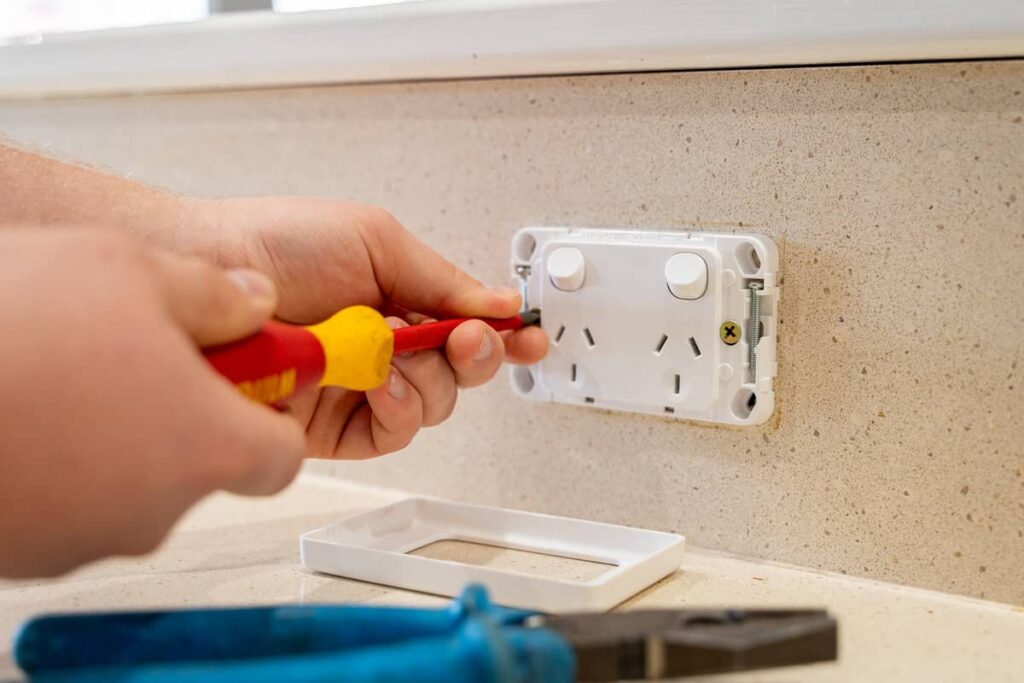
How powerpoint installation works
A typical installation follows a clear process:
- Isolate the power and confirm the circuit is dead
- Plan the cable route and mounting position
- Run cable safely (without damaging existing services)
- Install the mounting and fit-off the outlet
- Test the outlet and the safety devices
- Label and tidy, then provide any required compliance paperwork
In WA, electrical installation work is required to meet WA’s electrical rules and minimum requirements.
Common mistakes homeowners make before calling a sparky
These are the issues that often lead to avoidable cost and patching later:
- Planning outlets before furniture layout is final
- Putting “one powerpoint” behind a TV wall that needs four
- Adding a power board instead of adding outlets
- Installing indoor outlets in areas exposed to weather
- Assuming every appliance can share the same circuit
If you plan the rooms properly once, you avoid rework later.
Safety red flags: book an electrician before adding outlets
If you notice any of the following, do not ignore it:
- Powerpoints that feel warm
- Buzzing sounds or crackling
- Loose plugs that fall out easily
- Burn marks, discolouration, or a burning smell
- Breakers or RCDs that trip repeatedly
These signs can point to poor connections or overloaded circuits. Adding more outlets without fixing the cause can make it worse.
Powerpoint installation checklist (use this before you book)
Walk through each room and note:
- What devices you use daily and where they sit
- Where cords currently trail across walkways
- Where you rely on power boards
- Any high-load appliances you want to add
- Which areas need USB, weatherproof, or extra sockets
- Any tripping, flickering, or warm outlets
Bring that list to your electrician. It speeds up the quote and improves the final layout.
FAQs
How many powerpoints should a room have?
Enough that you are not relying on power boards for everyday use. Bedrooms and living rooms usually need more than people expect, especially with modern charging and entertainment setups.
Can you add a powerpoint to a double brick wall?
Yes, in most cases. The method and access matter, so it needs an on-site assessment.
Do outdoor powerpoints need to be weatherproof?
Yes. Outdoor areas need fittings suitable for weather exposure and correct installation.
Should I choose USB powerpoints?
USB outlets are great for convenience, but they do not replace standard outlets for high-load devices. They work best at bedsides and in study areas.
Will I need a new circuit?
Sometimes. If you are adding outlets in an area with heavy appliance use (kitchen, workshop, air con), a new circuit can be the safer option.
Why does my powerpoint feel warm?
Warmth can indicate a loose connection, a worn outlet, or an overloaded circuit. Book an electrician promptly.
Is it illegal to replace a powerpoint myself in WA?
Yes. In WA, electrical work must be carried out by people who hold the relevant electrical licence, and homeowners should use a licensed electrical contractor for work like powerpoints.
Need help planning your powerpoint layout?
If you want a clean, future-proof setup, we can help you plan the right outlet types and positions before we start cutting into walls.
At Limelight Electrix, we focus on safe work, clear communication, and upfront pricing with no surprises. We also include a free safety inspection with every service so you know your circuits and switchboard are in good shape.
If you are in Perth and want it done properly, get in touch and we will talk you through the best options for your home.