A powerpoint can look fine on the outside, but still be unsafe behind the cover.
If you spot any of the signs below, stop using that outlet and get it checked. Faulty powerpoints can overheat, spark, and increase fire risk.
1. The clearest sign: heat, burning smells, or scorch marks
If a powerpoint feels warm, smells burnt, or shows black marks, treat it as urgent.
Look for:
- Warm or hot faceplate
- Brown or black discolouration
- Melted or misshapen plastic
- A burnt plastic smell
This is often caused by a loose connection inside the outlet. Loose connections create resistance, which creates heat.
2. Sparking, crackling, or smoke
A small spark can happen if you plug something in while it is switched on. The bigger concern is sparks that keep happening, sparks that look large, or any crackling sounds.
Call a sparky if you notice:
- Sparking when plugging in
- Crackling or buzzing sounds
- Any smoke at all
If there is smoke, switch the circuit off at the switchboard straight away.
3. Cracked, broken, or brittle faceplates
A damaged cover is not just cosmetic.
Replace or repair is needed when:
- The plate is cracked or chipped
- The plastic is brittle or loose
- You can see gaps or exposed areas
Cracks can let dust and moisture in. They can also increase the risk of accidental contact.
4. Plugs feel loose or fall out
A healthy powerpoint grips the plug firmly.
Warning signs include:
- The plug slips out easily
- The outlet feels worn
- The whole powerpoint moves when you plug something in
Loose contact can cause arcing, which is like a tiny jump of electricity. That jump creates heat, and heat causes damage.
5. Flickering lights when you use that outlet
If lights dip or flicker when you switch something on, it can point to a poor connection.
Common examples:
- A lamp flickers when you plug in a vacuum
- The room lights dim when the kettle starts
- The issue happens with one specific powerpoint
This needs testing, because the issue could be at the outlet or in the wiring behind it.
6. Tingling or small shocks
Any shock or tingling is a red flag.
If you feel:
- A zap when touching the plug
- Tingling when using the outlet
- A shock when you touch the faceplate
Stop using it and book a licensed electrician. This can be linked to an earthing problem, moisture, or a wiring fault.
7. The powerpoint stops working or trips the breaker
A dead outlet is not something to ignore, even if it “comes back”.
Watch for:
- One outlet not working while others do
- The breaker trips when you use that powerpoint
- The outlet works sometimes, then cuts out
This can point to internal damage, loose wiring, or a fault that is building over time.
8. Corrosion, water marks, or outlets in wet areas
Powerpoints in wet areas or outdoors need extra care.
Be cautious with outlets:
- Near sinks, laundries, and bathrooms
- Outdoors or under alfresco areas
- Near pools or spas
- In rooms with condensation issues
Look for:
- Green or white powdery buildup on screws or contacts
- Rust staining or water marks
- Cracking, swelling, or loose plastic
If the outlet trips, crackles, sparks, or behaves oddly, get it checked.
What to do right now if you spot a warning sign
Use this simple approach:
- Stop using the powerpoint.
- If there is heat, smoke, or a burning smell, switch the circuit off at the switchboard.
- Do not keep testing it “to see if it still works”.
- Book a licensed electrician to inspect it and replace it safely if needed.
Can I replace my powerpoints myself?
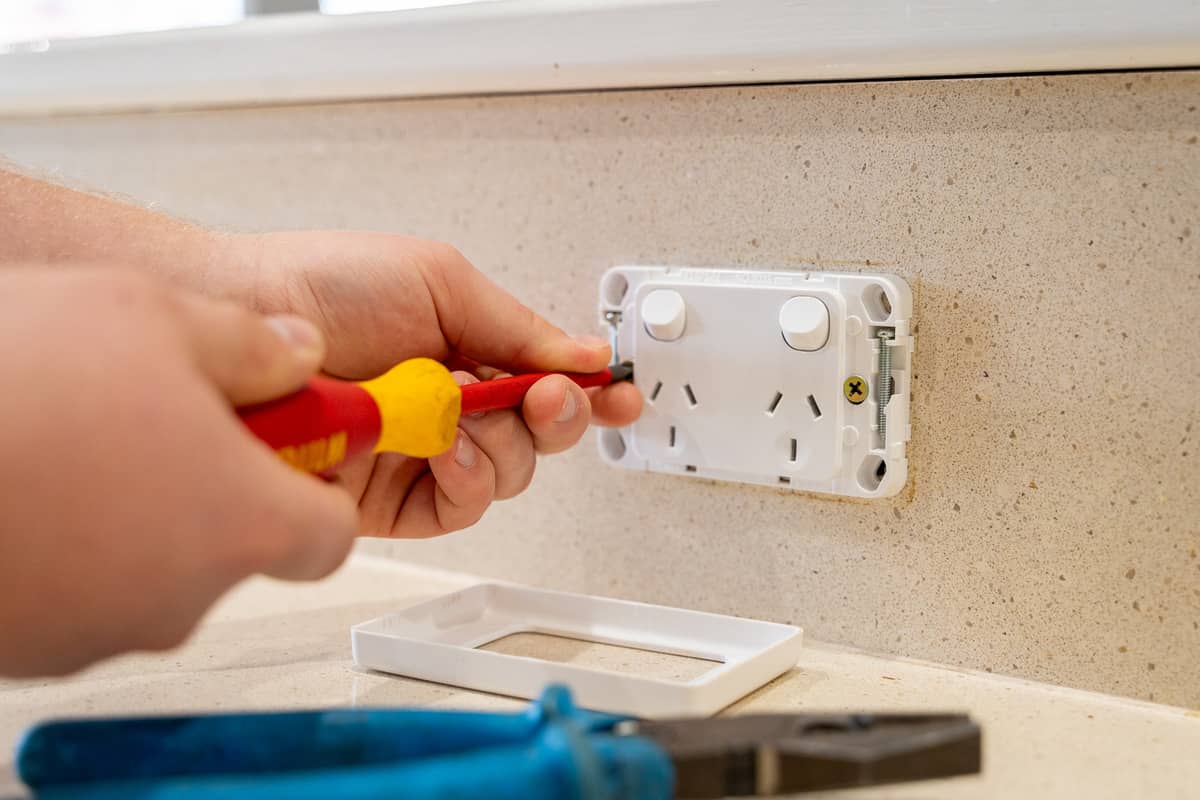
No. In Western Australia, replacing, installing, or moving a powerpoint is electrical work and must be done by a licensed electrician.
Even a “simple swap” can hide issues behind the wall, like:
- Loose or burnt connections
- Incorrect wiring
- Damaged cables
- No earthing
- Moisture or corrosion
If it is done incorrectly, it can lead to electric shock, repeated tripping, or overheating.
If a powerpoint is damaged, sparking, hot, or loose, stop using it and book a licensed sparky to replace it safely.
Why these problems happen
Most powerpoint faults come back to one of these causes:
- Worn contacts: the outlet stops gripping the plug properly, causing heat and sparking.
- Loose terminals: cables are no longer tight, which creates resistance and overheating.
- Moisture and corrosion: makes connections unreliable and increases fault risk.
- Overloading habits: too many high-draw appliances on one circuit can push weak outlets over the edge.
If you are relying on double adaptors or power boards every day, it is usually a sign you need more outlets installed.
What we check before we replace a powerpoint
Replacing a powerpoint is usually quick, but we do not treat it as “just a swap”.
We typically check:
- Signs of overheating in the terminals
- Cable condition and connection tightness
- Polarity and earthing
- Whether the load suits what is being plugged in
- RCD protection where relevant
This helps reduce the chance of the same issue coming back.
When it is an emergency
Treat it as urgent if you notice:
- Smoke
- Burning smells
- Visible melting or charring
- Repeated sparking or crackling
- Shocks or tingling
Switch off the circuit and call a licensed electrician.
Need a powerpoint replaced in Perth?
If you are seeing any of these signs, we can help.
We provide upfront pricing with no surprises, and we include a free safety inspection with every service. That way you know the outlet is safe, and the wiring behind it is safe too.